
Every great product has a story — and that story begins long before the first unit rolls off the production line. Between the spark of an idea and the moment a customer picks your box off a shelf, dozens of decisions are made, revised, and made again. One tool quietly shapes nearly every stage of that journey: the box mockup.
It’s not glamorous. It doesn’t ship. But it might be the most influential visual asset in your entire product development process.
Discover informative resources about Box Mockups practices at Techpount.
The Early Stage: Selling an Idea Before It Exists
Picture this: you’ve got a product concept that you genuinely believe in. Your team is excited. But stakeholders, investors, or clients need to see it — not read about it, not imagine it. See it.
This is where box mockups earn their keep earliest and most dramatically. Before a single dollar goes into manufacturing, a well-crafted mockup lets you place your packaging concept into a photorealistic scene. Boardroom presentations transform. Investor decks start converting. People respond to things they can see and feel — even digitally.
Designers use this phase to explore visual identity: typography, color palettes, material textures, logo placement. A box mockup becomes a sandbox for creativity, letting teams iterate rapidly without the cost or time of physical prototyping.
Mid-Development: Feedback Loops and Refinement
Once an initial direction is chosen, the real work of refinement begins. Marketing teams weigh in. Brand guidelines get applied. Legal might require specific disclaimer placements. Suddenly, everyone has notes.
This is the phase where mockups become communication tools rather than just presentation assets. Share a version. Get feedback. Update the file. Share again. The iteration cycle that would take weeks with physical samples takes hours in a digital workflow.
Consider how different teams use mockups during this stage:
- Designers test hierarchy, whitespace, and color contrast against realistic backgrounds
- Marketing teams build campaign materials, social ads, and landing pages using mockup imagery
- Sales reps walk into retailer meetings with polished visuals before samples exist
- E-commerce managers populate product pages months before launch
Mockups don’t just save time — they create a shared visual language across departments that keeps everyone aligned.
Real-World Applications: Box Mockups in Practice
Let’s get concrete. Here’s how actual teams across industries have woven box mockups into their workflows.
A skincare startup launching their first serum line used box mockups to A/B test two packaging directions with their Instagram audience — a minimal matte design versus a glossy foil option. The audience voted overwhelmingly for the matte version, saving the brand from a costly production mistake.
A specialty coffee roaster used box mockups in their crowdfunding campaign visuals. Backers pledged based on product imagery that was entirely rendered — no physical packaging existed yet. The campaign hit its goal in 72 hours.
A toy manufacturer presented four regional packaging variants to retail buyers — same product, adapted for different markets — using mockups. The buyer approved three on the spot, eliminating a months-long back-and-forth that would have required physical samples shipped internationally.
These aren’t edge cases. This is standard practice for teams that move fast and spend smart.
Box Mockups on ls.graphics: A Designer’s Toolkit Worth Knowing
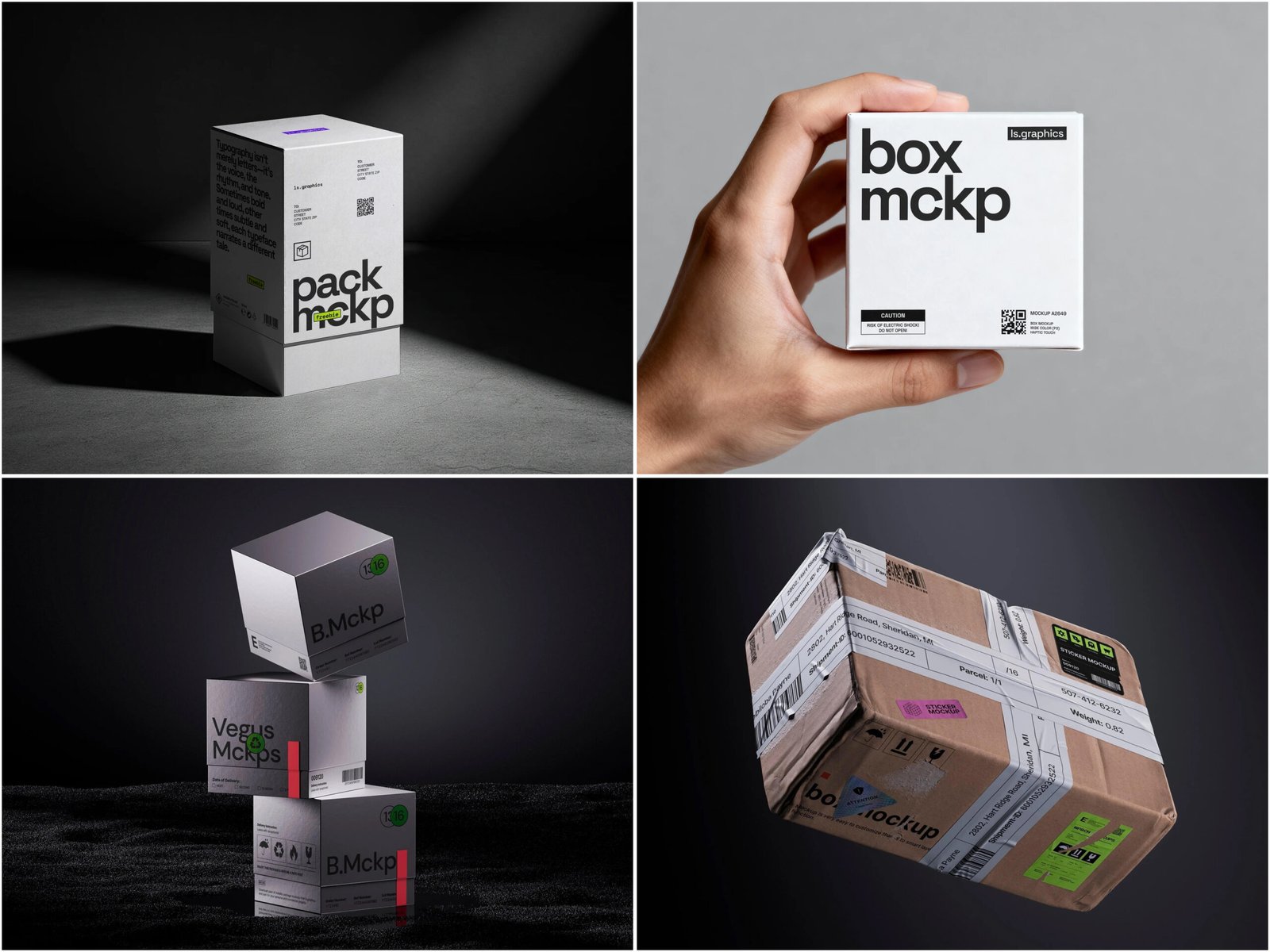
Among the resources designers return to again and again, ls.graphics has built a reputation for packaging mockups that go well beyond the generic templates flooding the market.
What makes their collection stand out:
- Ultra-realistic rendering that captures light, shadow, and material texture with near-photographic accuracy
- Organized, clearly labeled layers so even complex customizations take minutes, not hours
- Multiple angles per product — top, side, perspective, flat lay — giving designers full flexibility for any layout
- Varied color styles and background compositions that fit everything from earthy artisan brands to sleek tech aesthetics
- Stylish minimalistic scenes that let the packaging breathe without visual clutter
- Edit Online feature — no software installation required; customize directly in the browser
- A generous free collection with numerous scenes available to try before committing
The premium mockups in particular reflect a serious investment in quality — the kind that makes a difference when your visuals need to look as good as the product itself.
Pre-Launch and Beyond
As launch day approaches, mockups shift from development tools into full-time marketing assets. Social teasers, paid ads, email campaigns, press kits — all need visuals before the product physically exists in quantity. Mockups fill that gap instantly.
Retail partners need imagery too: planograms, shelf displays, and trade decks all require accurate visuals before inventory arrives.
Post-launch, the cycle never stops:
- Seasonal editions demand fresh creative on tight deadlines
- Line extensions need imagery that fits the existing brand system
- New markets require adapted visuals without starting from scratch
Because the base file already exists — organized, layered, ready — every update takes hours, not weeks. Over time, a brand’s mockup library becomes one of its most valuable visual assets.
Conclusion
The path from idea to shelf is rarely straight, but box mockups provide reliable landmarks throughout. They accelerate decisions, align teams, impress stakeholders, and feed marketing engines — all before a single box is printed.
For designers and brand teams looking to elevate their packaging workflow, quality resources matter enormously. ls.graphics offers a mockup library built for professionals who understand that first impressions begin long before the product arrives.
Your packaging tells your story. Make sure it’s told well.